
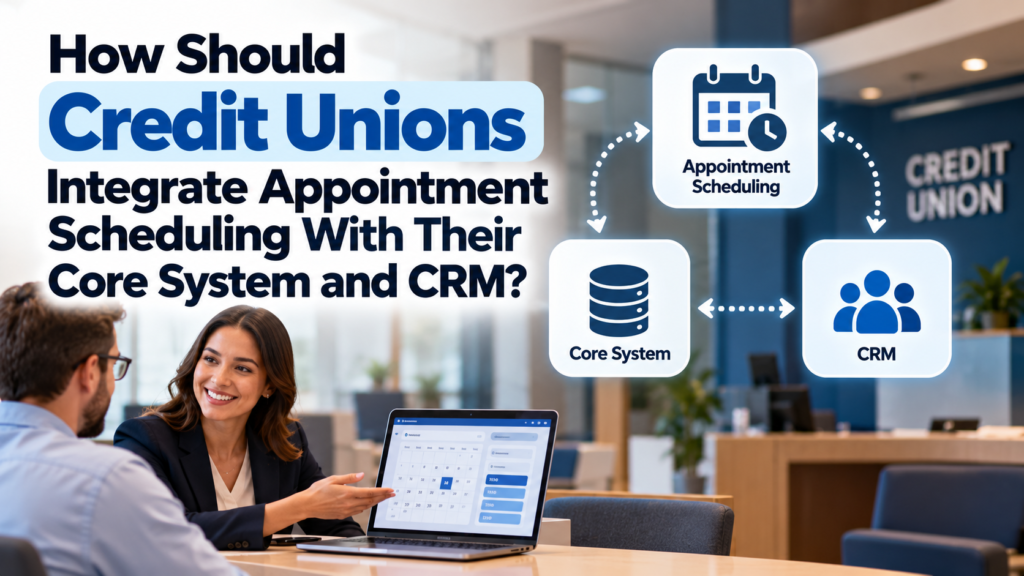
Credit unions should integrate appointment scheduling software with their core banking system and customer relationship management (CRM) platform through APIs, supported integrations, and calendar synchronization.
This connects appointment bookings, advisor availability, member interactions, and follow-up activities across existing systems. Appointment scheduling software for credit unions should also support intelligent advisor matching, automated SMS and email reminders, and both in-branch and virtual appointments.
The goal is to help members book meetings with the right advisors while enabling employees to manage appointments without switching between disconnected applications. Credit unions should prioritize reliable data synchronization, secure access, and workflows that fit their existing banking technology.
Why Should Credit Unions Integrate Appointment Scheduling With Core Banking and CRM?
Core banking, CRM, and appointment scheduling systems perform different functions. Integration allows them to exchange relevant information and support connected member service workflows.
- Core banking system: Maintains financial accounts, transactions, loan records, and other essential banking information.
- CRM platform: Stores member relationship information, interaction history, service activities, and follow-up tasks.
- Appointment scheduling system: Manages bookings, advisor availability, meeting types, locations, reminders, and appointment statuses.
For example, a member booking a mortgage consultation should be able to select a suitable appointment time and meet an advisor with the appropriate expertise. The scheduling platform manages the booking, the CRM records the interaction, and the core banking system retains authoritative financial records.
Without integration, employees may need to enter appointment details manually, check availability across different applications, and update member records separately. These disconnected processes increase administrative work and create opportunities for errors.
How Should Credit Unions Prepare for System Integration?
Credit unions should assess their existing technology, define integration requirements, and identify the information each application needs before connecting systems.
Assess Existing Technology and Integration Capabilities
Start by reviewing the core banking platform, CRM, scheduling software, digital banking channels, calendar applications, and identity management tools.
Check whether each application supports REST APIs, webhooks, prebuilt connectors, or middleware. Confirm available capabilities with the relevant vendors because integration options differ by product and configuration.
The assessment should identify:
- Which system owns member and financial records.
- How the scheduling platform identifies existing members.
- Which appointment details the CRM needs.
- Whether calendar availability updates automatically.
- How systems authenticate users and record changes.
- What happens when an integration fails.
This review helps IT teams determine the simplest reliable approach for connecting the applications.
Establish Data Ownership and Synchronization Rules
Each system should have a defined responsibility. The core banking platform should remain the authoritative source for financial information. The CRM should manage member relationships and interaction history, while the scheduling platform should manage bookings and availability.
Credit unions should specify which fields move between systems and when updates occur. They should also define how the platform handles conflicting records, duplicate appointments, and failed synchronization.
What Integration Methods Work Best for Credit Unions?
The appropriate integration method depends on the credit union’s existing infrastructure, vendor capabilities, technical resources, and security requirements.
1. API-Based Integration
Application programming interfaces (APIs) allow systems to exchange specific information through controlled requests.
For example, when a member books a financial consultation, the scheduling system can send appointment details to the CRM. The CRM can associate the booking with the correct member record and create a follow-up task.
API-based integration offers flexibility because credit unions can define the information exchanged and the workflows triggered by specific events. However, implementation requires authentication, data validation, error handling, monitoring, and appropriate access controls.
2. Middleware and Integration Platforms
Middleware connects applications when direct integrations are unavailable or difficult to maintain. It can transform data formats, route events, coordinate workflows, and retry failed requests.
This approach is useful for credit unions operating multiple branches or connecting legacy core banking systems with modern scheduling and CRM applications.
However, middleware introduces additional infrastructure that requires monitoring, maintenance, and security controls. IT teams should document system dependencies and assign responsibility for resolving integration failures.
3. Prebuilt Connectors
Prebuilt connectors can simplify implementation when the scheduling provider already supports the credit union’s CRM, calendar, or other business applications.
Before selecting a connector, verify which fields it synchronizes, whether updates happen in real time, and how it handles cancellations, rescheduling, and failed updates.
A calendar integration alone does not establish full core banking integration. Credit unions should verify each required connection separately.
How Can CRM Integration Improve Member Appointment Management?
CRM integration should connect appointments to the correct member records and automate appropriate follow-up activities.
1. Match Appointments With Member Records
Use verified member identifiers to link bookings to the correct CRM profiles and prevent duplicate records. If the system cannot confidently match a member, it should flag the record for review instead of automatically creating a duplicate profile.
2. Automate Follow-Ups
After an appointment, the system can update its status and create follow-up tasks. For example, a loan consultation may trigger a reminder for an advisor to contact the member about the next application step.
3. Personalize Appointment Communications
Use CRM data to send relevant confirmations, reminders, and rescheduling instructions. Respect member communication preferences and avoid including sensitive financial information in routine messages.
These workflows can also help banks connect appointment activity with customer relationship management. When evaluating appointment scheduling software for banks, institutions should check whether the platform can associate bookings with customer records and trigger appropriate follow-up activities.
Which Security Controls Are Essential During Integration?
Credit unions must protect member information throughout the integration process. Security requirements should be defined before implementation and tested across all connected systems.
- Role-based access: Restrict employees to the information required for their responsibilities.
- Strong authentication: Secure application connections and administrative accounts with approved authentication controls.
- Encryption: Protect sensitive information during transmission and storage.
- Audit logging: Record relevant access events, changes, synchronization activities, and integration errors.
- Data minimization: Exchange only the information required for scheduling and member service.
- Vendor assessments: Review data handling practices, security controls, incident response procedures, and contractual obligations.
- Recovery procedures: Define how teams will respond to outages, failed updates, and incorrect synchronization.
Banks implementing bank appointment scheduling software should apply the same principles. Security controls must cover customer information, employee access, connected applications, and data transfers between systems.
How Should Credit Unions Test and Deploy the Integration?
A phased deployment allows credit unions to identify problems before introducing the integration across every branch.
Start With a Pilot
Test a few branches and appointment types. Verify member identification, advisor assignment, calendar synchronization, notifications, cancellations, and CRM updates.
Check Data Accuracy and Errors
Confirm that appointment details match across systems. Test duplicate bookings, unavailable advisors, API failures, and interrupted connections to ensure reliable recovery.
Train Staff and Track Results
Train employees on booking workflows and error handling. Monitor synchronization delays, duplicate records, appointment completion rates, and employee feedback before expanding deployment.
What Should Credit Unions Look for in Appointment Scheduling Software?
Credit unions should evaluate scheduling platforms against their technical requirements and member service goals.
Important capabilities include:
- Core system and CRM compatibility: Supports the required integrations with existing applications.
- Calendar synchronization: Keeps advisor availability and bookings consistent.
- Flexible appointment management: Supports different services, branches, employees, and meeting formats.
- Automated notifications: Sends appointment confirmations, reminders, and relevant updates.
- Virtual appointment support: Enables members to connect with employees remotely when appropriate.
- Reporting and analytics: Tracks booking activity, attendance, service demand, and operational performance.
- Security and administration: Provides suitable access controls, audit capabilities, and configurable workflows.
Conclusion
Credit unions should integrate appointment scheduling with core banking and CRM systems using secure APIs, connectors, or middleware. Banks and credit unions should prioritize data security, reliable synchronization, and automated follow-ups.
Choosing appointment scheduling software for credit unions that supports these requirements helps streamline appointments and deliver consistent service across branches and digital channels.