
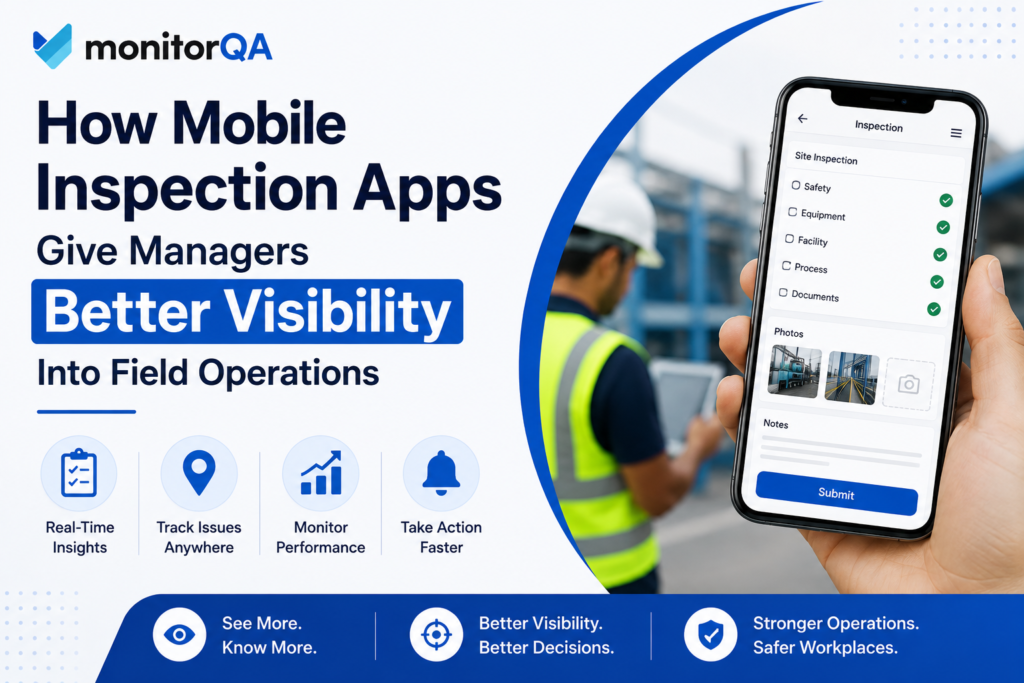
Managers cannot improve field operations when they cannot clearly see what is happening across locations, teams, and shifts. A report that arrives two days late, a paper checklist sitting in a filing cabinet, or photos buried in an email thread may technically contain useful information, but it does little to help a manager respond quickly.
This is a common challenge for businesses that rely on inspections. Employees may be completing checks every day, yet managers still struggle to answer basic questions: Which locations are having problems? Are teams following required procedures? Which issues keep coming back? What needs attention first?
A mobile inspection app can help close that visibility gap by making it easier for field teams to capture information and for managers to review it in a more organized way. But the real value is not simply replacing paper with a mobile device. It is turning field observations into information managers can use to make better operational decisions.
Why Field Operations Are Difficult to Monitor
Managing employees who work across different sites is very different from managing a team in one office.
A regional manager may oversee several locations spread across a large area. Supervisors may work different shifts, and employees may complete inspections at different times. By the time information reaches management, the situation on the ground may already have changed.
Paper-based inspections can add another layer of difficulty. A supervisor might complete a checklist, take a few photos on a personal device, and send the information to a manager later. Another employee may record the same type of issue differently.
Spreadsheets can organize some of this information, but they often depend heavily on manual data entry and follow-up.
The result is a visibility problem. Managers know inspections are taking place, but they do not necessarily have a clear, timely picture of what those inspections are showing.
What Managers Really Need From Inspection Data
More inspection data does not automatically mean better management.
Managers need information that is timely, consistent, and relevant to the decisions they have to make. A useful inspection process should help answer questions such as where problems are occurring, whether standards are being followed, and whether the same issues are appearing repeatedly.
Consider a regional manager responsible for six facilities. Each location submits weekly inspection reports. If the manager only reviews individual reports, it may be difficult to recognize that four locations have reported the same equipment issue several times.
When those results are viewed together, the situation looks different.
The manager now has a reason to investigate whether the issue comes from maintenance procedures, equipment age, employee training, or an unclear inspection standard.
That is the difference between collecting information and creating operational visibility.
How a Mobile Inspection App Improves Field Visibility
A mobile inspection app allows employees to complete inspections from a mobile device while they are working at a site or facility. Instead of recording information on paper and entering it later, field teams can document findings as they happen.
Digital checklists help standardize how inspections are completed. Photos can provide visual evidence of a problem. Notes can add context that a simple pass-or-fail response cannot. Timestamps can help establish when an inspection took place, while centralized records make the information easier for managers to review.
Each of these details has a practical management benefit.
Suppose an inspector finds damaged equipment during a routine check. A written note saying “equipment damaged” leaves plenty of room for interpretation. A photograph attached to the finding gives the manager a much clearer understanding of the condition.
That context can help determine whether the issue requires immediate attention, routine maintenance, or further investigation.
The goal is not to make inspections more complicated. It is to make the information produced by those inspections more useful.
Turn Individual Inspections Into Operational Monitoring
An individual inspection provides a snapshot. A series of inspections can reveal a trend.
This is where operational monitoring becomes valuable.
Managers can review inspection results over time to understand whether performance is stable, improving, or declining. They can also compare locations and identify unusual patterns that deserve attention.
Imagine a regional manager notices that three locations are repeatedly failing the same checklist item. At first, the problem may appear to be an employee performance issue. After comparing the inspection data, however, the manager discovers that the failures occur mostly during evening shifts.
That changes the investigation.
Perhaps evening employees have not received the same training. Maybe the shift is understaffed, making it difficult to complete the required procedure properly. Or perhaps the process itself is unrealistic during busy periods.
Inspection data does not provide the answer automatically. What it does provide is evidence that helps management ask the right question.
This makes operational monitoring much more useful than simply reviewing reports after something has gone wrong.
How Mobile Inspections Support Operational Compliance
Operational compliance means consistently following the procedures, standards, policies, and requirements that govern everyday business activities.
Inspections are one way organizations check whether those expectations are actually being followed.
However, completing an inspection does not automatically mean the operation is compliant. Managers also need to know what the inspection found, which issues remain unresolved, who is responsible for them, and whether similar problems are appearing elsewhere.
For example, a company may require employees to complete a safety check before using certain equipment. A mobile inspection process can document whether that check was completed and capture any findings.
If several employees repeatedly identify the same safety concern, management has an opportunity to investigate the underlying process rather than simply recording another failed inspection.
This creates a stronger connection between routine field activity and broader compliance management.
From Inspection Findings to Corrective Action
Finding a problem is only the beginning.
The real test is what happens afterward.
A manager may identify a recurring issue during an inspection and tell a supervisor to fix it. Without clear ownership, a deadline, and follow-up, that instruction can easily get lost among other operational priorities.
Corrective Action Tracking Software can help create a more structured process. An issue can be assigned to the appropriate person, given a target date, and monitored until the required action is completed.
Consider a facility where inspections repeatedly identify damaged storage areas. The first response may be to repair the immediate damage. If the same problem returns a month later, the business needs to ask why.
Perhaps employees need additional training. Perhaps the storage process is poorly designed. Maybe the equipment being used is not appropriate for the task.
Tracking corrective actions over time gives managers a better opportunity to distinguish between a temporary fix and a solution that addresses the underlying problem.
Improving Quality Across Field Locations
Consistency becomes especially important when businesses operate across multiple sites.
Customers should not receive a significantly different level of service simply because they visit another location. The same principle applies to internal standards for safety, cleanliness, equipment maintenance, and quality.
Quality inspection software can help organizations structure inspections around consistent quality requirements and make it easier to compare results across locations.
Suppose Location A consistently receives strong inspection results while Location B records the same quality issue every week. Instead of assuming that Location B has a performance problem, management can examine the data more closely.
Are employees receiving the same training? Are supervisors following the same procedures? Is the equipment different? Are staffing levels comparable?
The inspection results provide a starting point for that investigation.
Over time, managers can also identify successful practices at high-performing locations and determine whether those practices can be applied elsewhere.
How Better Visibility Leads to Better Business Decisions
Better visibility matters because operational decisions rarely exist in isolation.
Inspection information can influence decisions about training, staffing, maintenance, quality standards, resource allocation, and compliance priorities.
For example, if inspection results show that one location has a consistently higher number of equipment-related findings, management may decide to review its maintenance schedule. If another location has recurring employee-related findings, additional training or supervision may be more appropriate.
The important thing is that the decision is based on evidence rather than assumption.
A useful inspection process creates a cycle:
Collect information → identify patterns → investigate causes → prioritize issues → take action → review results.
The process does not require managers to analyze every piece of information manually. The objective is to make important patterns easier to see so managers can focus their attention where it matters most.
Choosing a Mobile Inspection App That Supports Real Operations
The best solution is not necessarily the one with the longest feature list. Businesses should consider whether the inspection process actually fits the way their field teams work.
Employees should be able to complete inspections without unnecessary complexity. Managers should be able to find important information without sorting through disconnected files. Findings should have a clear path from identification to resolution.
It is also worth considering whether the system can support the business as inspection needs change. A company may start with basic inspections but later need stronger reporting, corrective action workflows, location comparisons, or quality monitoring.
The technology should support the operational process rather than force teams into an impractical workflow.
Make Field Information Work Harder for the Business
The real purpose of a digital inspection process is not simply to eliminate paper.
It is to create a clearer connection between what employees observe in the field and what managers decide to do about it.
When inspection information is captured consistently, reviewed across locations, connected to corrective actions, and monitored over time, managers gain a much better understanding of operational performance.
A mobile inspection app can provide the foundation for that visibility, while operational monitoring, quality processes, and structured corrective action follow-up help turn information into action.
For businesses managing inspections across teams and locations, MonitorQA provides a centralized approach to inspections, findings, corrective actions, and operational visibility. The goal is straightforward: give managers better information so they can make better decisions about the operation.
Frequently Asked Questions About Mobile Inspection Apps
1. What is a mobile inspection app?
A mobile inspection app is a digital tool that allows employees or inspectors to complete inspections using a smartphone or tablet. Depending on the workflow, teams can record checklist results, notes, photos, and findings directly from the field. The information can then be organized centrally, making it easier for managers to review inspection results and follow up on issues.
2. How does a mobile inspection app improve field visibility?
It gives managers faster access to structured information from field teams. Instead of relying on delayed paper forms, emails, or spreadsheets, managers can review inspection results and supporting evidence in a centralized system. This can make recurring problems, location differences, and issues requiring attention easier to identify.
3. Can a mobile inspection app support multiple locations?
Yes. A mobile inspection app can be particularly useful for organizations with multiple facilities or field teams. Standardized checklists can help locations follow the same inspection process, while centralized records can give regional and corporate managers a broader view of performance across sites.
4. How do mobile inspections support operational compliance?
Mobile inspections help document whether established procedures and standards are being followed. They can provide structured records of checks, findings, and supporting evidence. However, completing an inspection alone does not establish compliance. Managers still need to review findings, address unresolved issues, and monitor recurring problems.
5. How can mobile inspections improve corrective action management?
Inspection findings can be connected to follow-up actions so that issues do not simply remain in completed reports. A structured process can assign responsibility, establish deadlines, document progress, and help managers determine whether an issue was actually resolved. This is especially useful when the same problem appears repeatedly across inspections.
6. What should businesses look for when choosing a mobile inspection app?
Businesses should look for a solution that is easy for field teams to use and provides managers with useful visibility. Important considerations include customizable digital checklists, photo and evidence capture, centralized records, reporting, corrective action workflows, location management, and the ability to identify trends. The system should fit the organization’s actual inspection process rather than add unnecessary complexity.